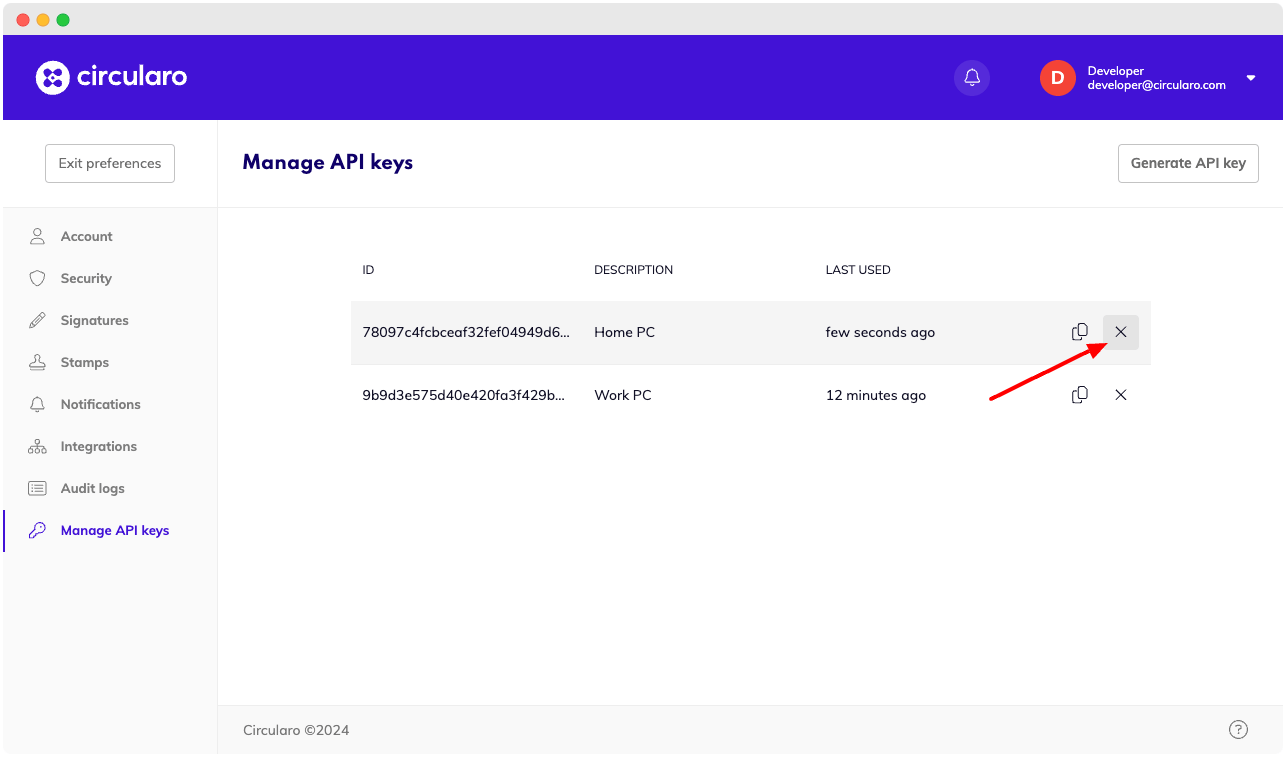
In this section, we’ll guide you through the process of managing API keys using Circularo’s User Interface. You’ll find detailed instructions on how to create, view, and delete API keys.
You can use API key instead of classic token to access endpoints without need to log in multiple times.
Navigate to API key settings
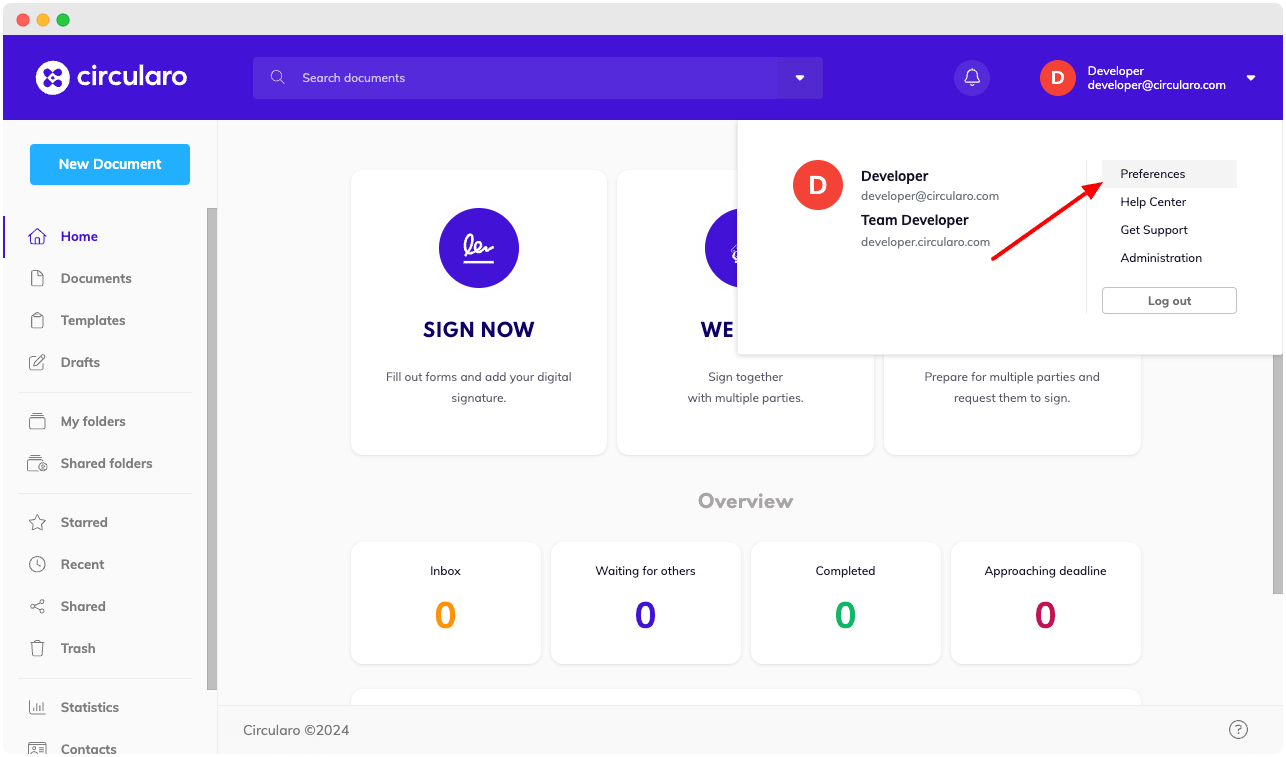
API key settings can be found within the Preferences section.
-
Click on your profile in the upper left corner and navigate to Preferences.
-
Navigate to the Manage API keys section.
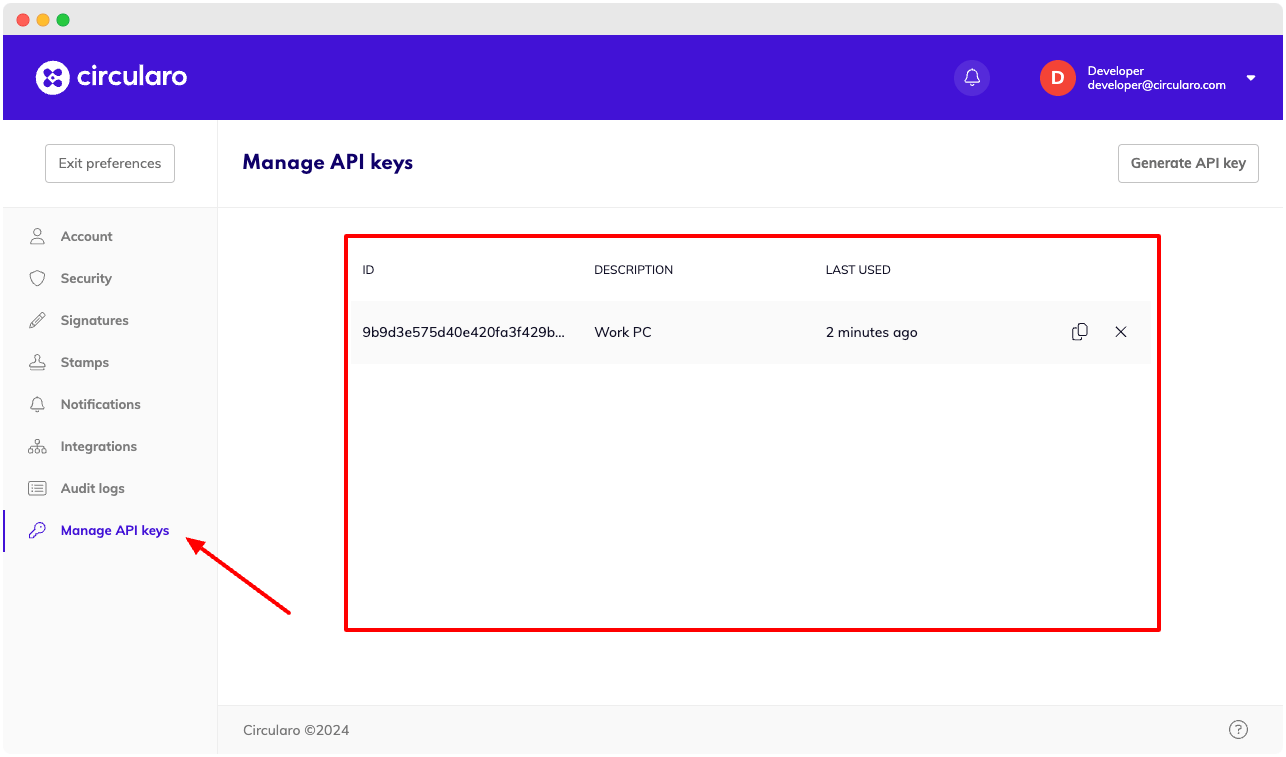
In the Manage API keys preferences section, you’ll find a list of currently active API keys. Only your personal API keys are visible.
Create new API key
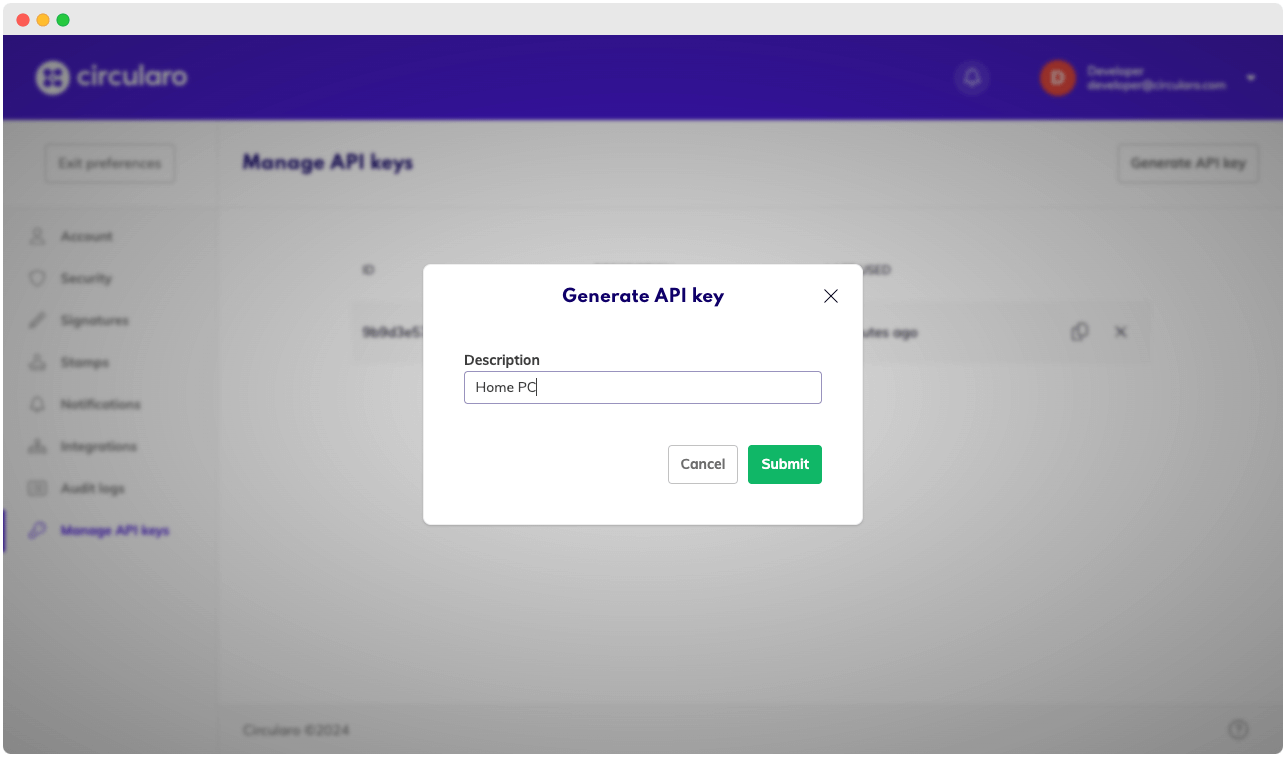
To create a new API key, click on the button labeled “Generate API key“ in the upper right corner. And fill in the description of the API key in the modal dialog.
Delete API key
To delete an API key, click on the x icon of specific API key in the list.